Bootstrap and Webpack

What is Webpack?
Webpack is a JavaScript module bundler that combines application modules and their dependencies into browser-ready assets. This guide sets up a React and TypeScript application and configures Babel to compile the ECMAScript decorators (stage-3) used by MobX.
Setup
Create a project folder and initialize its package manifest:
mkdir my-project
cd my-project
pnpm init
Install Idea React and its runtime peers, plus Webpack, Babel, and the CSS loader chain:
pnpm add idea-react@next react react-dom mobx mobx-react bootstrap
pnpm add -D webpack webpack-cli webpack-dev-server html-webpack-plugin
pnpm add -D babel-loader @babel/core @babel/preset-env @babel/preset-react
pnpm add -D @babel/preset-typescript @babel/plugin-proposal-decorators
pnpm add -D css-loader style-loader
Use idea-react without @next after a stable release.
Project structure
Create Babel and Webpack configuration files and a TypeScript React entry point:
my-project/
├── babel.config.json
├── package.json
├── src/
│   ├── index.html
│   └── main.tsx
└── webpack.config.cjs
Configure Webpack
Set up the development server, HTML template, TSX transpilation, and CSS loaders in
webpack.config.cjs:
const path = require('node:path');
const HtmlWebpackPlugin = require('html-webpack-plugin');

module.exports = {
    mode: 'development',
    entry: './src/main.tsx',
    output: {
        filename: 'main.js',
        path: path.resolve(__dirname, 'dist'),
        clean: true
    },
    devServer: {
        static: path.resolve(__dirname, 'dist'),
        port: 8080,
        hot: true
    },
    plugins: [new HtmlWebpackPlugin({ template: './src/index.html' })],
    module: {
        rules: [
            {
                test: /\.[jt]sx?$/,
                exclude: /node_modules/,
                use: 'babel-loader'
            },
            {
                test: /\.css$/i,
                use: ['style-loader', 'css-loader']
            }
        ]
    },
    resolve: {
        extensions: ['.tsx', '.ts', '.jsx', '.js']
    }
};
Add development and production scripts in package.json:
{
    "scripts": {
        "start": "webpack serve",
        "build": "webpack build --mode=production"
    }
}
Create src/index.html with a mount point for React:
<!doctype html>
<html lang="en">
    <head>
        <meta charset="utf-8" />
        <meta name="viewport" content="width=device-width, initial-scale=1" />
        <title>Idea React with Webpack</title>
        <link rel="stylesheet" href="https://unpkg.com/idea-react@next/dist/index.css" />
        <link
            rel="stylesheet"
            href="https://unpkg.com/bootstrap-icons@1.13.2/font/bootstrap-icons.css"
        />
    </head>
    <body>
        <div id="root"></div>
    </body>
</html>
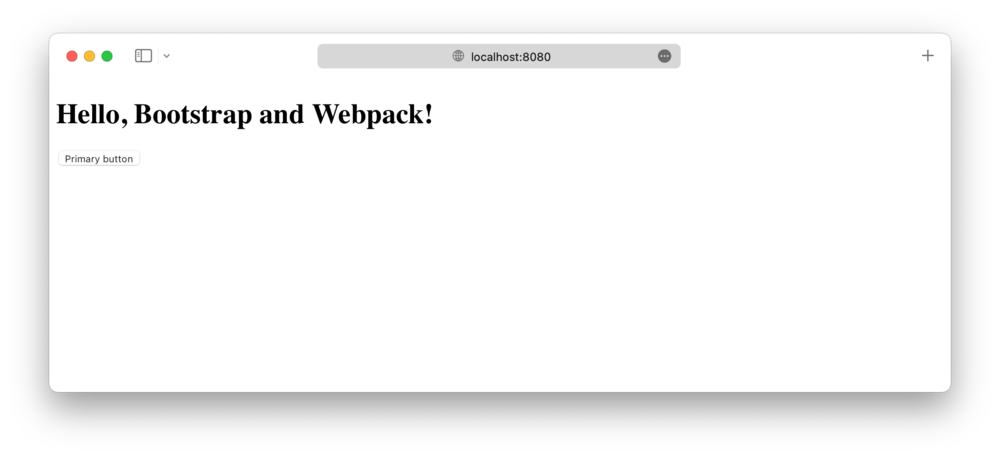
Run the local server:
pnpm start
Import Bootstrap
Use Babel's decorators plugin to compile the standard decorator syntax supported by TypeScript 5
and used by MobX. Select the stage-3 2023-11 proposal version and do not enable TypeScript's
legacy experimentalDecorators mode. Put this in babel.config.json:
{
    "assumptions": {
        "setPublicClassFields": false
    },
    "presets": [
        ["@babel/preset-env", { "targets": "defaults" }],
        ["@babel/preset-react", { "runtime": "automatic" }],
        "@babel/preset-typescript"
    ],
    "plugins": [["@babel/plugin-proposal-decorators", { "version": "2023-11" }]]
}
The class-field assumption preserves the standard field behavior required by MobX decorators.
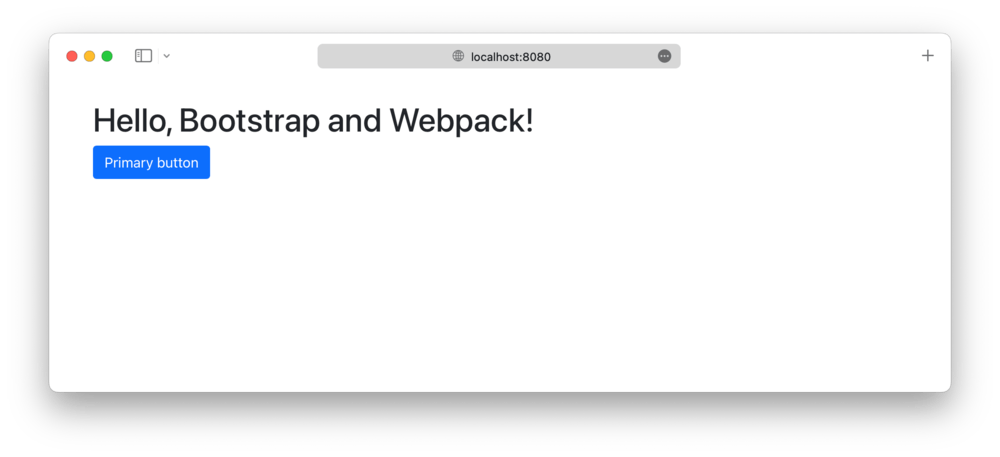
The HTML page loads the Idea React stylesheet from the CDN. Import Bootstrap's compiled stylesheet
and a component from Idea React's public package entry point in src/main.tsx:
import 'bootstrap/dist/css/bootstrap.min.css';
import { createRoot } from 'react-dom/client';
import { Button } from 'idea-react';

createRoot(document.getElementById('root')!).render(
    <Button variant="solid" theme="primary">
        Hello, Idea React and Webpack!
    </Button>
);
The CSS loader chain handles both stylesheets. Idea React's React wrappers provide component behavior, so Bootstrap's JavaScript bundle is not needed. Create the production bundle with:
pnpm build
Production optimizations
Depending on the deployment and Content Security Policy, production builds can extract styles and data-URI SVGs into static assets.
Extracting CSS
style-loader inserts CSS into the page at runtime. To emit a separate stylesheet, install
mini-css-extract-plugin:
pnpm add -D mini-css-extract-plugin
In the production Webpack configuration, add the plugin and replace style-loader in the CSS rule:
const MiniCssExtractPlugin = require('mini-css-extract-plugin');

module.exports = {
    plugins: [new HtmlWebpackPlugin({ template: './src/index.html' }), new MiniCssExtractPlugin()],
    module: {
        rules: [
            {
                test: /\.css$/i,
                use: [MiniCssExtractPlugin.loader, 'css-loader']
            }
        ]
    }
};
Keep style-loader in the development configuration. The extraction plugin writes a separate CSS
asset for production; confirm the generated HTML includes its stylesheet link.
Extracting SVG files
Bootstrap CSS can contain inline SVG data URIs. If the deployment's Content Security Policy blocks
data: images, use Webpack's asset modules to emit those SVGs as files:
{
    mimetype: 'image/svg+xml',
    scheme: 'data',
    type: 'asset/resource',
    generator: {
        filename: 'icons/[hash].svg'
    }
}